Programming Snippets
Quick, copy-paste code for common tasks. Each snippet links to the full reference page for more detail.
Motors
Control a PWM motor with a joystick. These excerpts come from the maintained WPILib Motor Controller example and show the imports, hardware objects, and periodic control method together.
import org.wpilib.drivers.motor.PWMSparkMax;
import org.wpilib.driverstation.Joystick;
import org.wpilib.framework.TimedRobot;
  private static final int MOTOR_PORT = 0;
  private static final int JOYSTICK_PORT = 0;
  private static final int ENCODER_PORT_A = 0;
  private static final int ENCODER_PORT_B = 1;

  private final PWMSparkMax motor;
  private final Joystick joystick;
  private final Encoder encoder;

  /** Called once at the beginning of the robot program. */
  public Robot() {
    motor = new PWMSparkMax(MOTOR_PORT);
    joystick = new Joystick(JOYSTICK_PORT);
    encoder = new Encoder(ENCODER_PORT_A, ENCODER_PORT_B);
  /** The teleop periodic function is called every control packet in teleop. */
  @Override
  public void teleopPeriodic() {
    motor.setThrottle(joystick.getY());
  }
Coming Soon
A Blocks version of this single-motor snippet will be added here.
Complete Drivetrain Samples
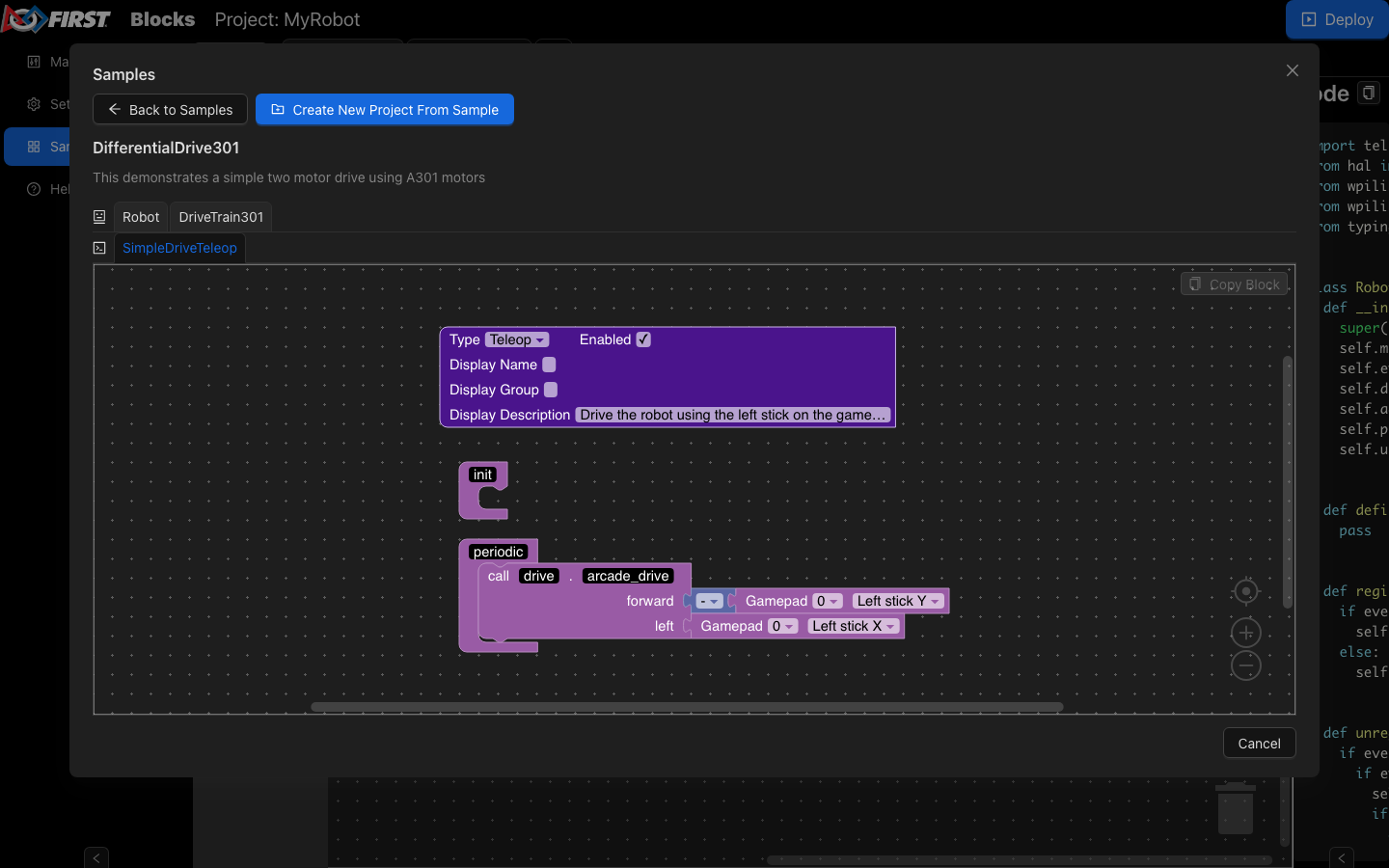
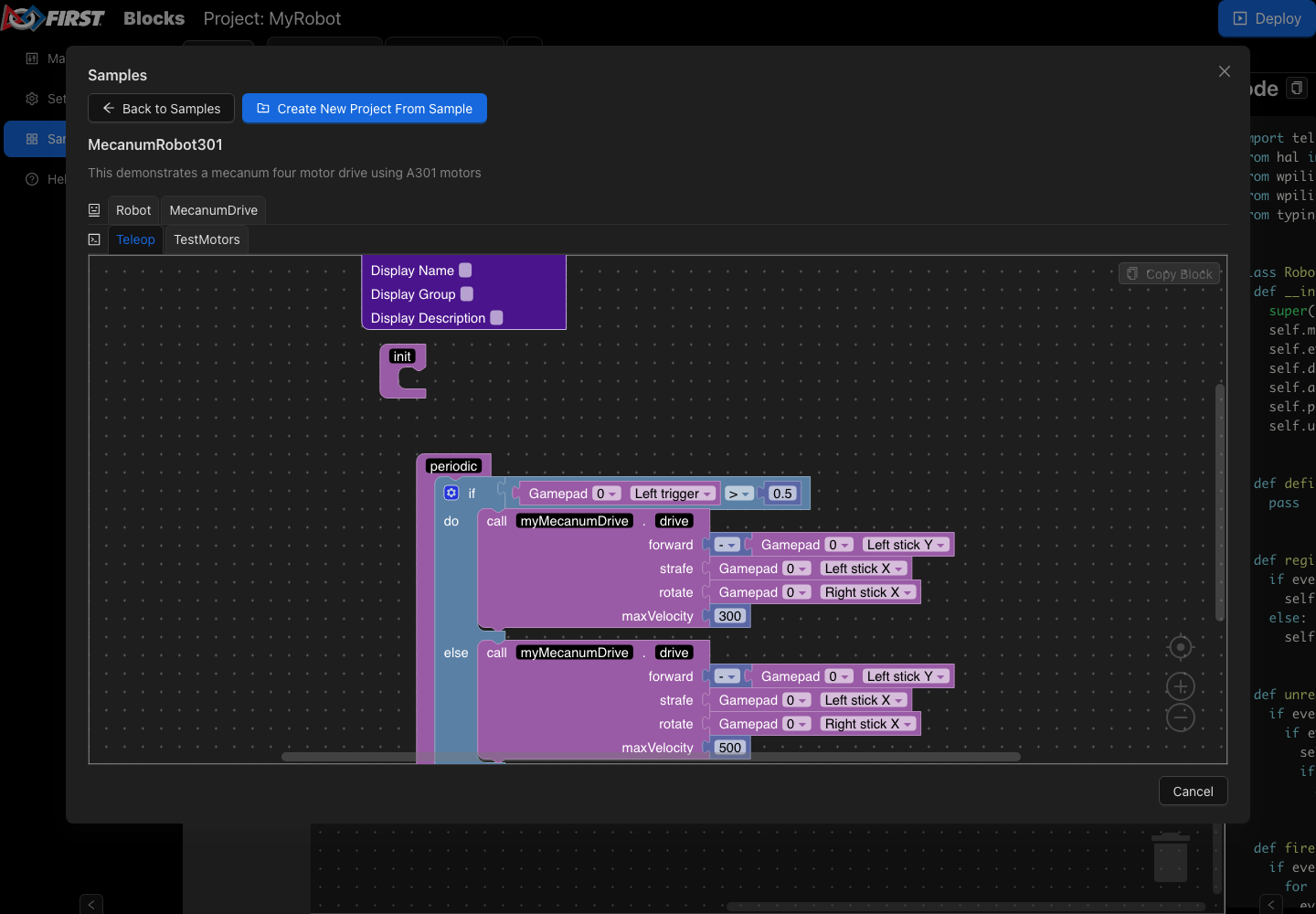
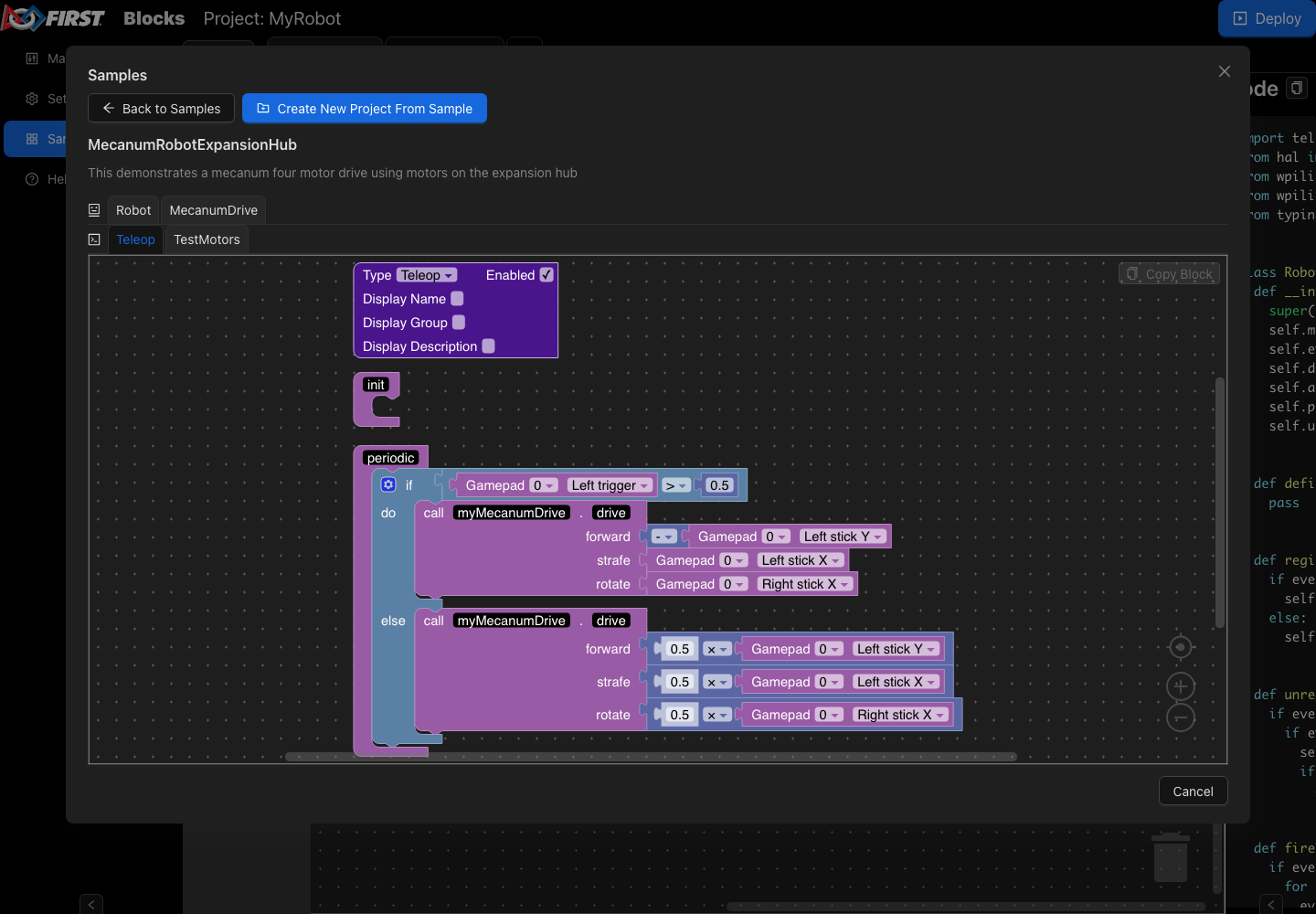
The Blocks interface includes complete drivetrain projects. Select Samples…, choose a project, then select Create New Project From Sample to make an editable copy.
DifferentialDrive301 demonstrates a two-motor A301 drivetrain
controlled by a gamepad.
MecanumRobot301 demonstrates a four-motor mecanum drivetrain
using A301 motor controllers.
MecanumRobotExpansionHub demonstrates a four-motor mecanum
drivetrain using motors connected to a REV Expansion Hub.
#include "wpi/drivers/motor/PWMSparkMax.hpp"
#include "wpi/driverstation/Joystick.hpp"
#include "wpi/framework/TimedRobot.hpp"
class Robot : public wpi::TimedRobot {
 public:
  void TeleopPeriodic() override { motor.SetThrottle(stick.GetY()); }
 private:
  wpi::Joystick stick{0};
  wpi::PWMSparkMax motor{0};
  wpi::Encoder encoder{0, 1};
};
import wpilib
import wpilib_drivers
class MyRobot(wpilib.TimedRobot):
    MOTOR_PORT = 0
    JOYSTICK_PORT = 0
    ENCODER_PORT_A = 0
    ENCODER_PORT_B = 1

    def __init__(self):
        """Robot initialization function"""
        super().__init__()

        self.motor = wpilib_drivers.PWMSparkMax(self.MOTOR_PORT)
        self.joystick = wpilib.Joystick(self.JOYSTICK_PORT)
        self.encoder = wpilib.Encoder(self.ENCODER_PORT_A, self.ENCODER_PORT_B)
    def teleop_periodic(self):
        self.motor.set_throttle(self.joystick.get_y())
Coming Soon
A LabVIEW version of this snippet will be added here.
See Using Motor Controllers for the full guide, including CAN motor controllers and where to put this code in Command-Based vs. TimedRobot programs.
Sensors
Read a digital input (limit switch, beam break, etc.):
  // Initializes a DigitalInput on DIO 0
  DigitalInput input = new DigitalInput(0);
    // Gets the value of the digital input.  Returns true if the circuit is open.
    input.get();
Coming Soon
A Blocks (Blockly) version of this snippet will be added here.
    // Gets the value of the digital input.  Returns true if the circuit is
    // open.
    input.Get();
  // Initializes a DigitalInput on DIO 0
  wpi::DigitalInput input{0};
Coming Soon
A Python version of this snippet will be added here.
Coming Soon
A LabVIEW version of this snippet will be added here.
See Digital Inputs for the full guide, plus analog inputs, encoders, and gyros.
Autonomous & Loops
Coming Soon
Common autonomous and loop patterns (timed sequences, state machines, command groups) will be added here.
More WPILib Examples
Need more than a short snippet? WPILib includes complete example projects in VS Code. Press Ctrl+Shift+P, select WPILib: Create a new project, and choose Example to open one.
Warning
Example projects demonstrate an idea; they are not ready to deploy to every robot unchanged. Check motor ports, controller ports, inversion, dimensions, gains, and other robot-specific constants before running one.
Beginner projects
Arcade drive, tank drive, mecanum drive, and a simple timed autonomous routine.
Complete project patterns
Button bindings, subsystems, commands, autonomous movement, and complete Inlined and Traditional Hatchbot projects.
Focused examples
LEDs, motor control, solenoids, vision, digital communication, power monitoring, and other single-feature examples.
Good next examples for a new team include:
Motor Controller for joystick-controlled motor movement.
Encoder and Gyro for reading drivetrain sensors.
Solenoids for basic pneumatics.
Addressable LED for robot status and driver feedback.
Getting Started for a two-second autonomous movement.
Inlined Hatchbot for a complete command-based robot without a separate command subclass for every action.
See WPILib Example Projects for the complete catalog, including controls, pose estimation, state-space, and simulation examples.